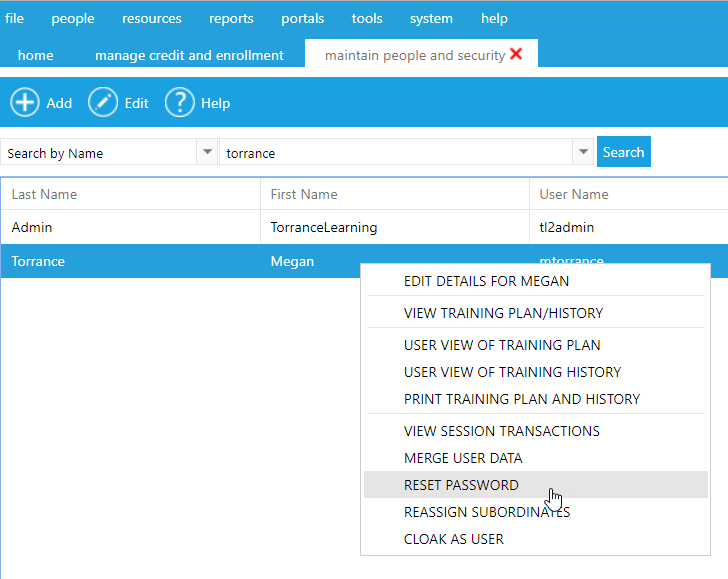
There are two ways to reset the user's password:
On the Manage People & Security home screen, search for the employee using one or more of the text fields. When the user appears in the search results, right-click on the record and select Reset Password from the pop-up menu.
Alternately, if you are already viewing the user's profile, click the Actions button and select Reset Password.
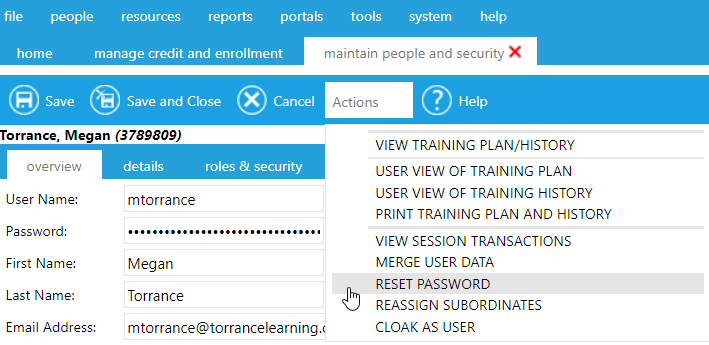
The system will automatically assign a new password and e-mail it to the user's email address.
Note: This option may or may not be visible to you. If it is not, you will be required to request a password change through an authorized administrator.